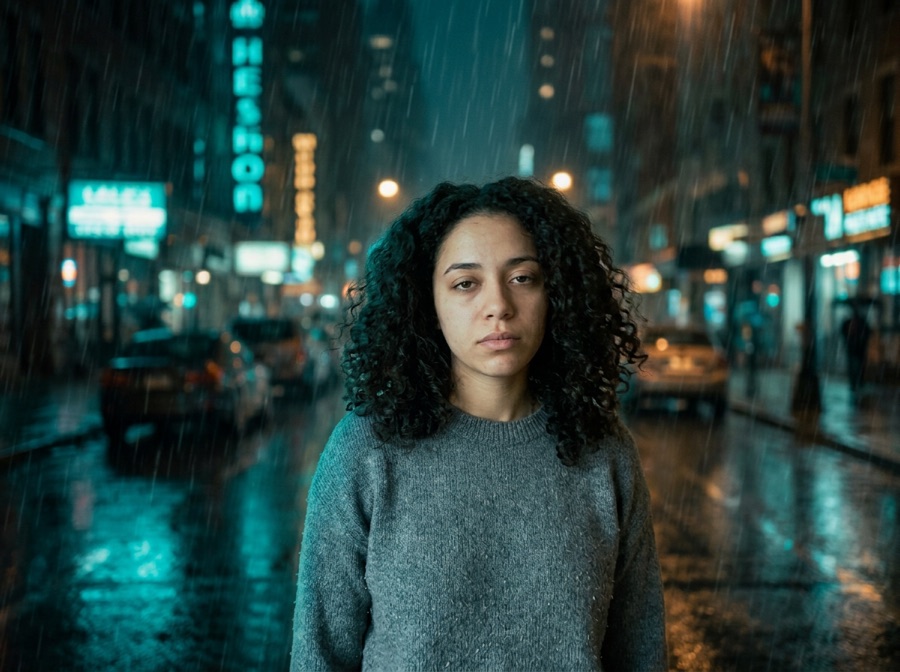
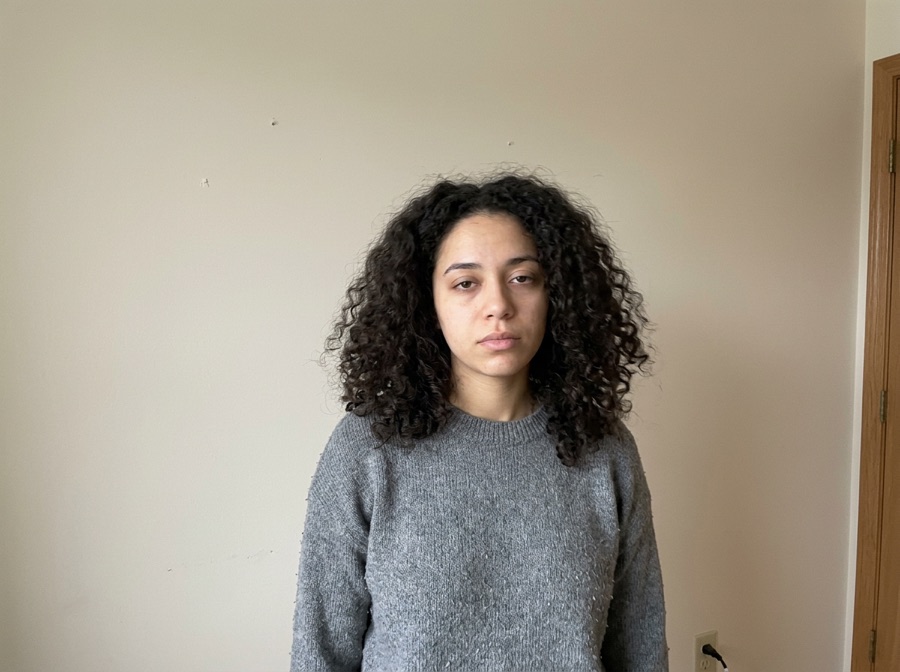
A fake ghost photo prank
Send a 'look what I caught on camera' photo to friends or family.
Choose a ghost and where it should stand — doorway, window, mirror, stairs — and the AI paints it into your photo with matching light and grain. The people in it stay untouched. First photo free, no account.
No photo handy? Try a sample
Pick one direction. Hold Frame will protect the important parts automatically.
✦ 1 free result as a guest · failed generations never count
Examples use AI-generated people, not real ones. The people in each result are the original upload's pixels.
Most img2img tools give you one abstract “strength” slider. We turn it into decisions a human actually makes.
Locked items become explicit model instructions — and a region mask when you paint one. The AI regenerates the whole image using your photo as the reference, so compare locked details with the original before you publish.
One tap per intent. Each chip compiles into a structured instruction with the right negative constraints.
Light touch: tone, light, small edits. Routed to precise editing models.
The default. Obvious change with stable identity and layout.
Big reimagining. Structure loosens — fine details may drift, on purpose.
Drop any JPG, PNG or WebP. We recognize portraits, products, sketches and interiors, and pre-lock what usually matters for that kind of image.
Toggle what to keep, tap what to change, pick Subtle, Balanced or Creative. No denoising values, no seed numbers, no model menus.
Slide before/after, download free with no added visible watermark, then keep editing the result with plain language — no re-upload needed.
Tap any template — it configures keep, change and strength, then scrolls you back to the studio.
Pick a ghost, then tell it where to stand. The AI only paints the scene behind the people — the ghost, its shadow and the light around it — and Keep subject pixels exactly pastes the original people back, so nobody's face, hair or clothes change.
To add a ghost to a photo online, upload the photo to Hold Frame, tap one of six ghosts — long-hair ghost, shadow figure, Victorian lady, face in the window, cute sheet ghost or orbs & mist — and say where it should stand, for example 'in the doorway on the left' or 'in the mirror'. The AI paints the ghost into the scene with the photo's own lighting, colour, grain and perspective, instead of pasting a flat sticker on top. Keep subject pixels exactly (on by default) cuts the people out in your browser and puts their original pixels back, so they don't change at all. It's an AI ghost photo editor for a fake ghost photo prank or a Halloween post, with no app. Your first photo is free with no sign-up and no added watermark; after that it's $2.90 per photo, 3 for $6.90 or 5 for $9.90, one-time with no subscription. People also search for it as add ghost to photo, add ghost to photo online free, add ghost to photo AI, add fake ghost to photo, add ghost to picture.
Facts checked October 10, 2026.
| Free to try | First ghost photo free as a guest — no sign-up, no credit card, no app download. Failed generations don't count. |
|---|---|
| After the free photo | $2.90 for one photo, $6.90 for three (most popular) or $9.90 for five — one-time, no subscription, no account needed to pay. Existing Hold Frame credits work too (5 per photo). |
| Watermark | No visible watermark is added. The model provider's invisible provenance mark (SynthID) is not removed. |
| Original pixels kept? | For background changes, yes: with "Keep subject pixels exactly" (on by default for product photos, one tick for people) the original product or person is cut out in your browser and pasted back pixel-for-pixel; only the background is AI — same price. Other edits are regenerated by the image model (Google Gemini 3.1 Flash Image) with your photo as the reference, so compare locked details. |
| Best for | Quick, controlled edits from one photo when you want to try several directions before committing. |
| Not the right tool for | Pixel-exact compositing (use layer masks in Photoshop) or editing dozens of images in one batch. |
Send a 'look what I caught on camera' photo to friends or family.
Add a figure at a window or on the stairs of a house, a hallway or a party photo.
A ghost in the background of an ordinary photo makes an instant Halloween post or invite.
A doorway, window, mirror, staircase or dark corner works best.
Tap a ghost card, then add where it stands, e.g. 'in the mirror' or 'on the stairs'.
Keep subject pixels exactly pastes the people back; check fine hair at the edges.
Copy one as a starting point, then change only the details that matter to your image.
Use these checks before increasing change strength or adding more instructions.
The TikTok ghost prank: a ghost right behind your shoulder.
Try on a costume yourself — or a couple costume from two photos.
Turn yourself into a zombie instead.
Make a short spooky clip from your photo (duet.room).
1980s yearbook, family album or mall studio portrait — from one selfie.
Free 1980s ChatGPT prompts, explained line by line, with fixes.
Your images and results are never public. No gallery, no indexable links.
Anonymous uploads and results are wiped within 24 hours, automatically.
We don't use your uploads to train models. Not opt-out — it just doesn't happen.
One click removes the source and every result. Download links die with it.
Your first photo is free. After that: $2.90 for one photo, $6.90 for three (most popular) or $9.90 for five — one-time, no subscription, no account needed to pay. Failed or declined generations are refunded. Existing Hold Frame credits work too (5 per photo).
Compare all credit plans and usage costs
Loading prices…
Subscriptions renew monthly and add credits after each successful payment. Packs are one-time purchases, available with or without a subscription. Unused credits carry over and remain after cancellation. No automatic pack purchases.
No “100% accurate” promises. Here's the truth, and the workaround.
Upload your photo, tap a ghost card, optionally say where it should stand, and generate. Your first photo is free with no sign-up and no added visible watermark.
The ghost is generated into the scene with the photo's own lighting, grain and perspective, and the people are pasted back over it, so it sits behind them like it was really there.
Yes. Add a place to the description — 'in the doorway on the left', 'in the mirror', 'on the stairs', 'outside the window' — or tap one of the suggestions.
No. Keep subject pixels exactly is on by default: the people are cut out in your browser and their original pixels are pasted back.
$2.90 per photo, 3 for $6.90 or 5 for $9.90 — one-time, no subscription. Failed or declined generations are refunded.
No app needed. It runs in the browser on iPhone, Android and desktop.
Only with their permission. Sexual or violent content is declined.
No. Uploads are processed to make the result and are not used to train models.
Each tool pre-configures the right locks and presets for the task.
Line art to realistic or stylized renders. Outline & composition locked.
New scene behind you, with your face kept as the reference. Face, body & pose locked.
Studio shots and ad variants. Original product reference, new settings. Review labels and details.
Anime and manga styles with your face and pose intact.
Restyle a room without moving a wall. Layout, doors & windows locked.
Four takes on the same idea. Subject & composition preserved.
Casual selfie to LinkedIn-ready headshot. Your face, locked.
Stage empty listings in seconds. Walls & windows never move.
Copy controlled prompts for lighting, palette, season, background and style.
Recreate practical before-and-after directions without losing the source.
Ecommerce and campaign photo workflows built from one real product.
Replace only the set while product, logo and packaging stay consistent.