From $2.90 · No subscription

80s AI Photo Prompt: Free ChatGPT Prompts That Keep Your Face
Change what you want. Keep what matters.

Copy a 1980s prompt, paste it with your selfie into ChatGPT or Gemini — or run it here with face lock.

No sign up No added visible watermark Auto-delete in 24h Never used for training
1Upload image
2Choose change
3Generate
Step 1 · Add your image
Drop your image here
Drag & drop, paste, or choose from your device
Upload image
JPGPNGWebP≤ 10 MB
Private · auto-deleted in 24h

No photo handy? Try a sample

What do you want to change?

Pick one direction. Hold Frame will protect the important parts automatically.

We’ll detect what matters after you upload, then protect it automatically.
2 Choose one you can refine it below
Advanced settings Optional
Detected mode after upload
Keep protected recommended for this image
Change strength
Balanced — clear change, identity and layout stay stable.
Aspect ratio

$2.90 per photo · 3 for $6.90 · 5 for $9.90 · failed generations never count

Real before & after

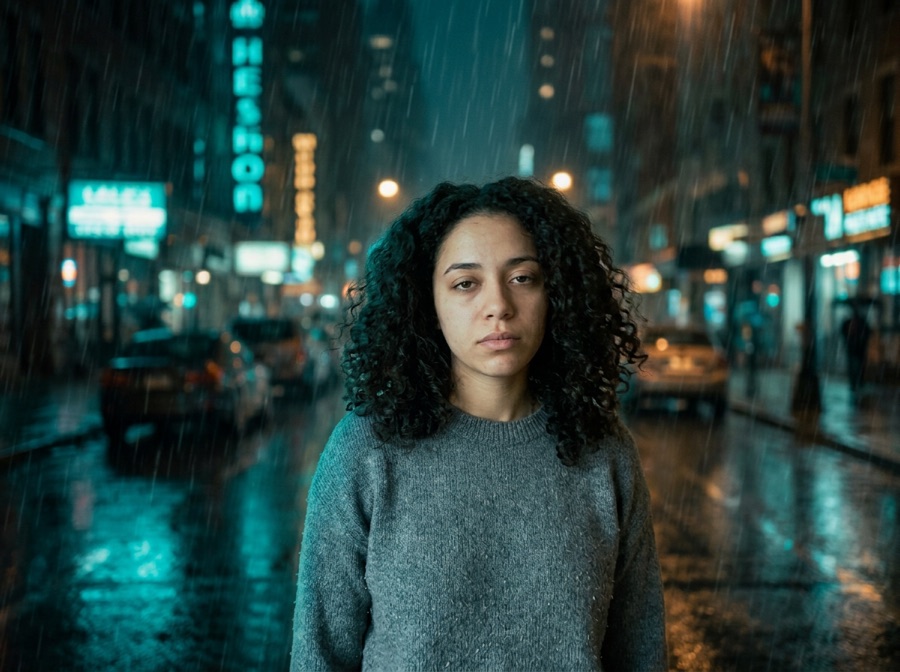
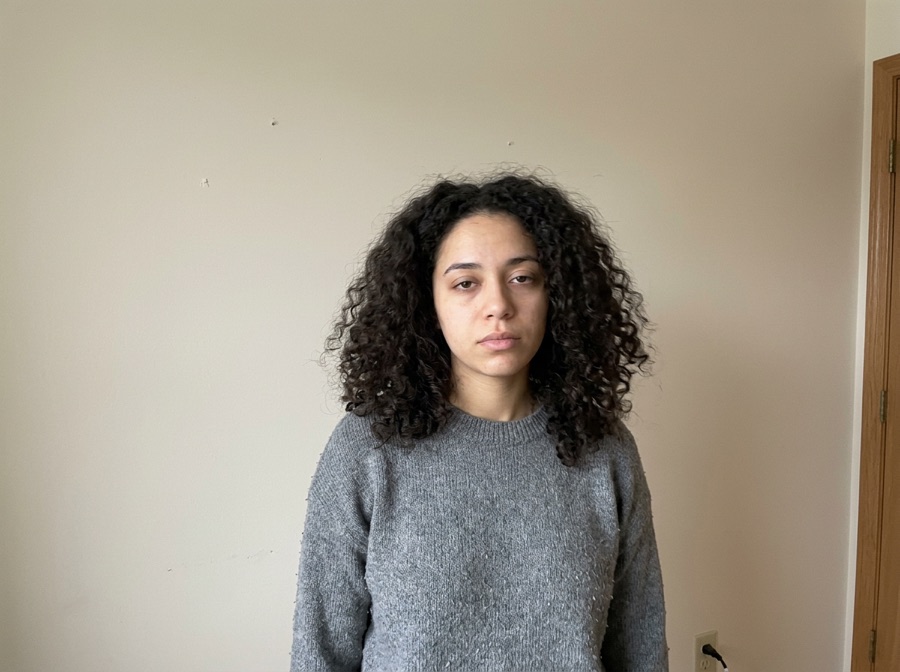
The look changes; face, expression and pose stay the reference

Examples use AI-generated people, not real ones. Compare the face and framing between the original and the result.

The control other tools hide

You don't pick a model. You pick what survives.

Most img2img tools give you one abstract “strength” slider. We turn it into decisions a human actually makes.

Keep — hard constraints

Locked items become explicit model instructions — and a region mask when you paint one. The AI regenerates the whole image using your photo as the reference, so compare locked details with the original before you publish.

  • Face — it's still the same person. Identity reference plus face-region protection.
  • Subject — the product, pet or object keeps its shape, logo and key details.
  • Composition — pose and layout stay put via structure and depth control.
  • Text & Logo — the model is told to keep lettering and logos as they are; fine print can still change, so check it.

Change — creative freedom

One tap per intent. Each chip compiles into a structured instruction with the right negative constraints.

  • Style — anime, watercolor, film, 3D, oil paint and 40+ more.
  • Background — a new scene behind an untouched subject.
  • Outfit — swap clothing while the person stays the person.
  • Lighting — golden hour, studio, neon night, overcast.

Subtle

Light touch: tone, light, small edits. Routed to precise editing models.

Balanced

The default. Obvious change with stable identity and layout.

Creative

Big reimagining. Structure loosens — fine details may drift, on purpose.

Three steps

From photo to finished image in under a minute

Upload & auto-detect

Drop any JPG, PNG or WebP. We recognize portraits, products, sketches and interiors, and pre-lock what usually matters for that kind of image.

Lock, describe, set strength

Toggle what to keep, tap what to change, pick Subtle, Balanced or Creative. No denoising values, no seed numbers, no model menus.

Compare, download, iterate

Slide before/after, download with no added visible watermark, then keep editing the result with plain language — no re-upload needed.

One-tap starts

Prompt templates that fill the tool for you

Tap any template — it configures keep, change and strength, then scrolls you back to the studio.

Complete guide

How each line of the 80s prompt works

The prompts below are free to copy into ChatGPT or Gemini with your selfie. Each one has the same five parts; the list explains what each part does, followed by fixes for the most common problems.

In short

An 80s AI photo prompt is the text you paste into ChatGPT (or Gemini) with a selfie to get a 1980s-style picture of yourself. A prompt that works names four things: the photo type (yearbook, family album, mall studio), the 80s hair and clothes, the backdrop, and the film look (warm colors, soft flash, grain) — plus one line telling the model to keep your face. All prompts on this page are free to copy. The editor below runs the same prompt with face lock if ChatGPT changes your face; it is part of the 80s AI photo trend tools. People also search for it as 80s trend chatgpt prompt, 1980s AI photo prompt, 1980s AI photo prompt chatgpt, 80s yearbook AI prompt, chatgpt 80s photo prompt, retro 80s AI prompt.

Facts checked October 10, 2026.

80s AI Photo Prompt: what you get

Price$2.90 for one photo, $6.90 for three (most popular) or $9.90 for five — one-time, no subscription, no account needed to pay. Existing credits work too (5 per photo).
RefundsFailed or declined generations don't use your purchase.
WatermarkNo visible watermark is added. The model provider's invisible provenance mark (SynthID) is not removed.
Original pixels kept?For background changes, yes: with "Keep subject pixels exactly" (on by default for product photos, one tick for people) the original product or person is cut out in your browser and pasted back pixel-for-pixel; only the background is AI — same price. Other edits are regenerated by the image model (Google Gemini 3.1 Flash Image) with your photo as the reference, so compare locked details.
Best forQuick, controlled edits from one photo when you want to try several directions before committing.
Not the right tool forPixel-exact compositing (use layer masks in Photoshop) or editing dozens of images in one batch.

What you can make

Yearbook prompt (copy)

Turn this photo into a 1980s high school yearbook portrait of the same person. Keep the face, expression and skin tone exactly. Big teased 80s hair, pastel knit sweater, mottled blue-gray studio backdrop with soft laser-beam lights, soft flash, warm film colors, fine film grain.

Family album prompt (copy)

Make this a 1980s family photo album snapshot of the same person. Keep the face exactly. Stonewashed denim jacket over a striped polo, wood-paneled 80s room, faded warm Kodak colors, slight flash glare, printed photo with rounded corners.

Mall studio prompt (copy)

Turn this into a 1980s mall photo studio glamour portrait of the same person. Keep the face exactly. Voluminous feathered hair, neon shoulder-pad blazer, soft-focus glamour lighting, pastel gradient backdrop, airbrushed look, warm film grain.

Disco prompt (copy)

Turn this into a 1980s disco night photo of the same person. Keep the face exactly. Sequined top, big curled hair, mirror ball and colored party lights, light haze, on-camera flash, grainy film.

How to get a controlled result

A three-step workflow for 80s AI Photo Prompt

Line 1 — photo type

'1980s yearbook portrait' / 'family album snapshot' sets the camera, pose and framing the model copies.

Line 2 — keep the face

'Keep the face, expression and skin tone exactly' is the line that stops the model from inventing a new person. Put it early.

Line 3 — hair and clothes

Teased or feathered hair, denim, pastel knits, shoulder pads and neon are what make people read it as '80s' instantly.

Line 4 — backdrop

Laser-beam or mottled studio backdrops, wood paneling or a mirror ball place the photo in time.

Line 5 — film look

Soft flash, warm faded colors and fine grain make it look printed in the 80s instead of rendered today.

Prompt examples

Copy one as a starting point, then change only the details that matter to your image.

  1. 1980s yearbook portrait: the same person with big teased 80s hair and a pastel 80s sweater, posed against a mottled blue-gray studio backdrop with soft laser-beam lights, warm film color, soft flash, fine film grain, keep the face recognizable
  2. 80s yearbook: teased hair, pastel sweater, laser-beam backdrop
  3. 80s family album: denim jacket, wood-paneled room, faded Kodak colors
  4. 80s mall studio portrait: feathered hair, neon blazer, soft-focus glamour

Common problems and fixes

Use these checks before increasing change strength or adding more instructions.

It doesn't look like me. Move the keep-the-face line first, say 'the same person', use one clear front-facing photo, or run it here with Face locked.
It looks too modern or too clean. Add 'faded print', 'slight motion blur', 'on-camera flash' and 'fine film grain'.
The background didn't change. Name the backdrop explicitly (laser beams, wood paneling) or remove 'keep the background'.
The engine declined the photo. Some photos are declined by the safety checks; declined or failed generations don't use your purchase or credits. Only edit photos of people who agreed to it.

Private by default

Your images and results are never public. No gallery, no indexable links.

Auto-delete in 24h

Anonymous uploads and results are wiped within 24 hours, automatically.

Never trained on

We don't use your uploads to train models. Not opt-out — it just doesn't happen.

Delete instantly

One click removes the source and every result. Download links die with it.

Simple pricing

One-time prices for this filter. No subscription.

5 credits per successful standard 1K image — including background changes with "Keep subject pixels exactly". Two more takes cost up to 10 credits. Failed images are refunded. One-time packs need no account to pay; new accounts get 5 free credits once.

Compare all credit plans and usage costs

Loading prices…

Subscriptions renew monthly and add credits after each successful payment. Packs are one-time purchases, available with or without a subscription. Unused credits carry over and remain after cancellation. No automatic pack purchases.

Honest limits

What AI still gets wrong — and what we do about it

No “100% accurate” promises. Here's the truth, and the workaround.

Faces can drift at Creative strength. If it stops looking like you, drop to Balanced or Subtle — Face lock works hardest there.
Hands and fingers remain the hardest thing in AI imaging. Keep them out of the change region when you can.
Tiny text and fine logos may blur or change. Turn on Text & Logo lock and compare them against the original before publishing.
Complex textures like lace, fur or micro-patterns can simplify. Subtle strength preserves them best.
Big scene swaps can nudge edges of the composition. Lock Composition and expect minor boundary shifts, not layout changes.
Failed generations happen. Timeouts and moderation blocks are labeled clearly and never use up your purchase or credits.
FAQ

Questions, answered straight

It's $2.90 for one photo, $6.90 for three (most popular) or $9.90 for five — one-time, no subscription, no account needed to pay. If you already have Hold Frame credits, each photo uses 5. Failed or declined generations are refunded.

Start with: 'Turn this photo into a 1980s high school yearbook portrait of the same person. Keep the face, expression and skin tone exactly. Big teased 80s hair, pastel sweater, mottled blue-gray backdrop with laser-beam lights, soft flash, warm film colors, fine grain.' Then swap the photo type for album, studio or disco.

General image models redraw the whole picture. Put the keep-the-face line first, ask for 'the same person', avoid words like 'make me look younger', and use one clear, front-facing photo. If it still drifts, use the editor here, which locks the face as the reference.

Yes. They are plain descriptions with no ChatGPT-only syntax. Gemini tends to keep faces closer; ChatGPT tends to change the backdrop more.

Yes, copy and use them anywhere. Running a prompt in this page's editor is a paid generation; ChatGPT and Gemini have their own free limits.

Add 'soft on-camera flash', 'slight motion blur', 'faded print with rounded corners' and 'fine film grain'. Ask for a 4:5 or square crop like a printed photo.

No. Uploads are processed to make the result and are not used to train models.