LinkedIn and CV profiles
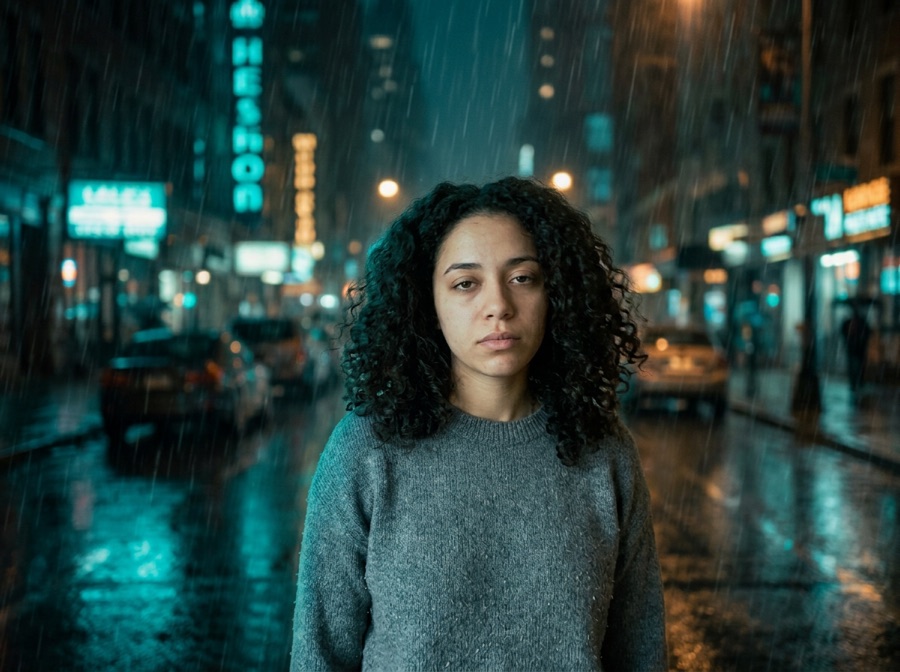
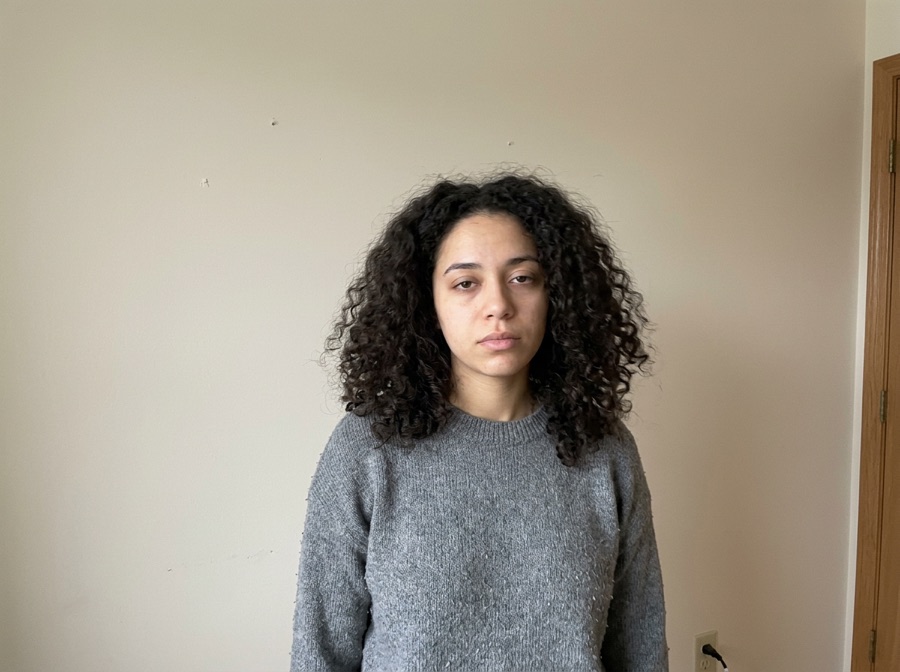
Create a clean head-and-shoulders portrait with a neutral studio or office background. Choose an outfit appropriate to the role rather than asking for a broad personality change.
One casual photo in, a LinkedIn-ready professional headshot out — your face is locked, only the outfit, background and lighting change. First headshot free.
No photo handy? Try a sample
Pick one direction. Keepframe will protect the important parts automatically.
✦ 1 free result as a guest · failed generations never count
Outfit, backdrop and light change while facial identity and framing remain the reference.
Most img2img tools give you one abstract “strength” slider. We turn it into decisions a human actually makes.
Locked items become model routing, region masks and post-composition — not just a sentence in the prompt.
One tap per intent. Each chip compiles into a structured instruction with the right negative constraints.
Light touch: tone, light, small edits. Routed to precise editing models.
The default. Obvious change with stable identity and layout.
Big reimagining. Structure loosens — fine details may drift, on purpose.
Drop any JPG, PNG or WebP. We recognize portraits, products, sketches and interiors, and pre-lock what usually matters for that kind of image.
Toggle what to keep, tap what to change, pick Subtle, Balanced or Creative. No denoising values, no seed numbers, no model menus.
Slide before/after, download free with no watermark, then keep editing the result with plain language — no re-upload needed.
Tap any template — it configures keep, change and strength, then scrolls you back to the studio.
Keepframe's free AI headshot generator turns a clear selfie or casual portrait into a professional profile image. Face lock is the central control: the tool changes outfit, background and lighting while trying to preserve recognizable facial features. Your first headshot is free with no sign up and no watermark.
Create a clean head-and-shoulders portrait with a neutral studio or office background. Choose an outfit appropriate to the role rather than asking for a broad personality change.
Test a consistent background and lighting direction across individual portraits. Review identity and framing before using any result as an official profile image.
Convert a casual phone photo into a polished creator, consultant or founder portrait while keeping expression and facial structure recognizable.
Use a front-facing or slight three-quarter portrait with visible eyes, even light and enough resolution. Avoid group photos, sunglasses and aggressive beauty filters.
Keep Face and Composition on. Select Outfit, Background or Lighting, and start with Balanced strength.
Use concrete language such as navy blazer, light gray studio and soft window light. If the result drifts, remove extra changes and lower strength.
Copy one as a starting point, then change only the details that matter to your image.
Use these checks before increasing change strength or adding more instructions.
Your images and results are never public. No gallery, no indexable links.
Anonymous uploads and results are wiped within 24 hours, automatically.
We don't use your uploads to train models. Not opt-out — it just doesn't happen.
One click removes the source and every result. Download links die with it.
5 credits per successful standard image. Two more takes cost up to 10 credits. Failed images are refunded.
Compare all credit plans and usage costs
Loading prices…
Subscriptions renew monthly and add credits after each successful payment. Packs are one-time purchases, available with or without a subscription. Unused credits carry over and remain after cancellation. No automatic pack purchases.
No “100% accurate” promises. Here's the truth, and the workaround.
Face lock uses the uploaded portrait as the identity reference. AI can still drift, so lower the strength and simplify the requested changes if the result stops looking like you.
Use one front-facing or three-quarter portrait with good light, visible eyes and head and shoulders in frame. Phone photos can work when they are sharp.
Yes. Describe the clothing, backdrop and light you want. Making one or two focused changes usually preserves identity better.
Your first headshot is free with no sign up and no watermark. Failed generations do not consume the free result.
Yes, provided you own the source photo and review the generated image for accuracy before publishing it.
Each tool pre-configures the right locks and presets for the task.
Line art to realistic or stylized renders. Outline & composition locked.
New scene behind an untouched you. Face, body & pose locked.
Studio shots and ad variants. Product, logo & packaging locked.
Anime and manga styles with your face and pose intact.
Restyle a room without moving a wall. Layout, doors & windows locked.
Four takes on the same idea. Subject & composition preserved.
Casual selfie to LinkedIn-ready headshot. Your face, locked.
Stage empty listings in seconds. Walls & windows never move.
Copy controlled prompts for lighting, palette, season, background and style.
Recreate practical before-and-after directions without losing the source.
Ecommerce and campaign photo workflows built from one real product.
Replace only the set while product, logo and packaging stay consistent.