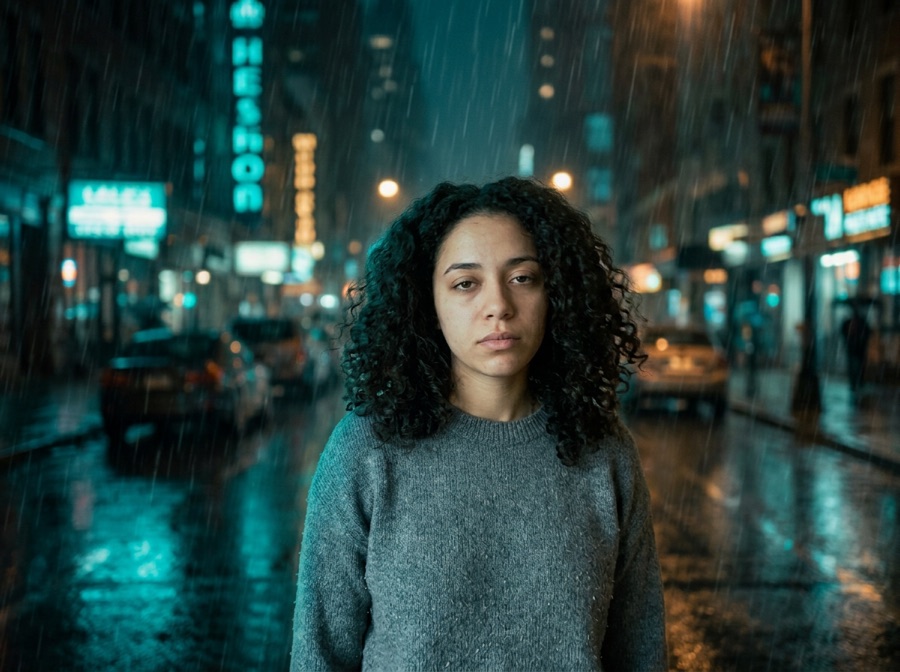
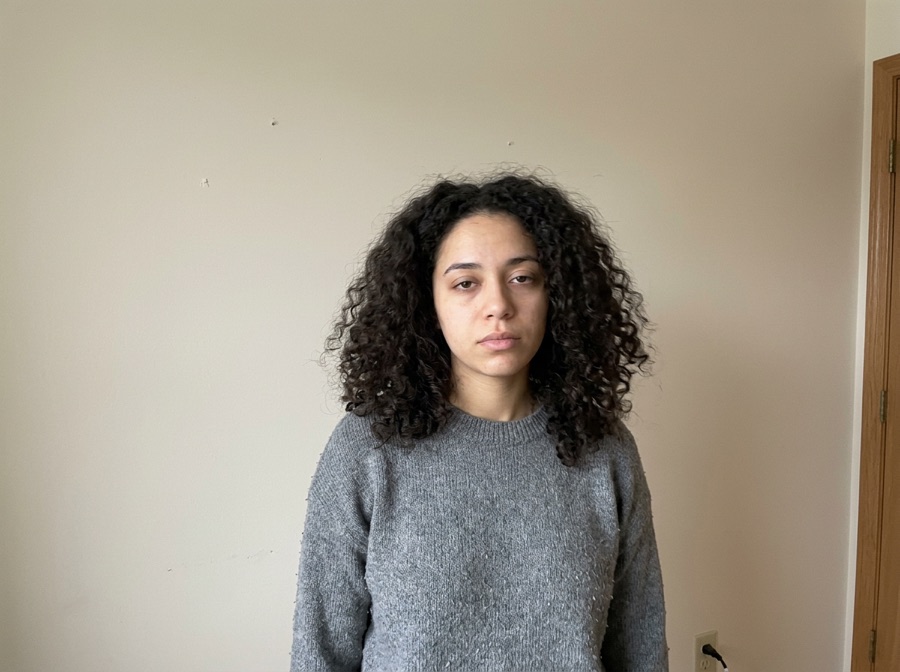
Relighting an approved photo
Move a daytime image toward dusk, golden hour or soft studio light while the subject, viewpoint and object positions stay fixed.
Compare controlled before-and-after directions and copy the exact method. Change the mood, not the identity of the image.
No photo handy? Try a sample
Pick one direction. Keepframe will protect the important parts automatically.
✦ 1 free result as a guest · failed generations never count
The source remains recognizable because every example specifies what stays and what changes.
Most img2img tools give you one abstract “strength” slider. We turn it into decisions a human actually makes.
Locked items become model routing, region masks and post-composition — not just a sentence in the prompt.
One tap per intent. Each chip compiles into a structured instruction with the right negative constraints.
Light touch: tone, light, small edits. Routed to precise editing models.
The default. Obvious change with stable identity and layout.
Big reimagining. Structure loosens — fine details may drift, on purpose.
Drop any JPG, PNG or WebP. We recognize portraits, products, sketches and interiors, and pre-lock what usually matters for that kind of image.
Toggle what to keep, tap what to change, pick Subtle, Balanced or Creative. No denoising values, no seed numbers, no model menus.
Slide before/after, download free with no watermark, then keep editing the result with plain language — no re-upload needed.
Tap any template — it configures keep, change and strength, then scrolls you back to the studio.
These photo variation examples show a controlled way to repurpose an approved image. The goal is not a random alternate photo: it is the same subject and framing under a different light, background, season or finish. Use the examples to choose the smallest useful change, then compare the result directly with the source before continuing.
Move a daytime image toward dusk, golden hour or soft studio light while the subject, viewpoint and object positions stay fixed.
Create seasonal or channel-specific photo variations from one approved hero instead of restarting the visual direction for every placement.
Swap only the environment behind a portrait or product. Edge quality, scale and believable contact light become the review criteria.
Choose a sharp, complete image and list the visual facts that define it: subject, pose, camera angle, crop, text and geometry.
Select one example below and adapt only its scene details. Keep the invariant language intact so the model knows the boundaries.
Check identity, silhouette, object count, text, scale and framing before judging the new mood. Regenerate at lower strength when an invariant moves.
Each recipe separates what must stay from the one visual decision that may change.
Shift the scene from late afternoon to blue-hour dusk with believable practical lights; keep the exact subject and camera position.
Create a cooler cinematic grade with restrained blue shadows; preserve every object, skin tone detail and the original crop.
Add gentle rain, overcast light and realistic wet-ground reflections; do not add, remove or move any scene element.
Replace the office background with a neutral light-gray studio and soft contact light; keep the person's face, pose, clothing and crop.
Create a restrained holiday variation with warm bokeh and minimal pine accents; keep the hero subject and composition dominant.
Convert the photo to a refined editorial illustration while preserving identity, silhouette, pose and exact framing.
Copy one as a starting point, then change only the details that matter to your image.
Use these checks before increasing change strength or adding more instructions.
Your images and results are never public. No gallery, no indexable links.
Anonymous uploads and results are wiped within 24 hours, automatically.
We don't use your uploads to train models. Not opt-out — it just doesn't happen.
One click removes the source and every result. Download links die with it.
5 credits per successful standard image. Two more takes cost up to 10 credits. Failed images are refunded.
Compare all credit plans and usage costs
Loading prices…
Subscriptions renew monthly and add credits after each successful payment. Packs are one-time purchases, available with or without a subscription. Unused credits carry over and remain after cancellation. No automatic pack purchases.
No “100% accurate” promises. Here's the truth, and the workaround.
It is an alternate treatment of a source photo that intentionally preserves selected facts such as subject, identity, pose, composition or crop.
Yes. Generate one controlled direction at a time, then compare outputs under the same lock and strength settings.
Relighting, color grading and simple background changes are usually easier to control than requests that also change pose, viewpoint and style.
Use a clear source, enable Face and Composition locks, avoid changing age or expression, and start at Subtle or Balanced strength.
No. Image models can make mistakes. Treat each example as a reproducible direction and inspect the output against the source.
Each tool pre-configures the right locks and presets for the task.
Line art to realistic or stylized renders. Outline & composition locked.
New scene behind an untouched you. Face, body & pose locked.
Studio shots and ad variants. Product, logo & packaging locked.
Anime and manga styles with your face and pose intact.
Restyle a room without moving a wall. Layout, doors & windows locked.
Four takes on the same idea. Subject & composition preserved.
Casual selfie to LinkedIn-ready headshot. Your face, locked.
Stage empty listings in seconds. Walls & windows never move.
Copy controlled prompts for lighting, palette, season, background and style.
Recreate practical before-and-after directions without losing the source.
Ecommerce and campaign photo workflows built from one real product.
Replace only the set while product, logo and packaging stay consistent.