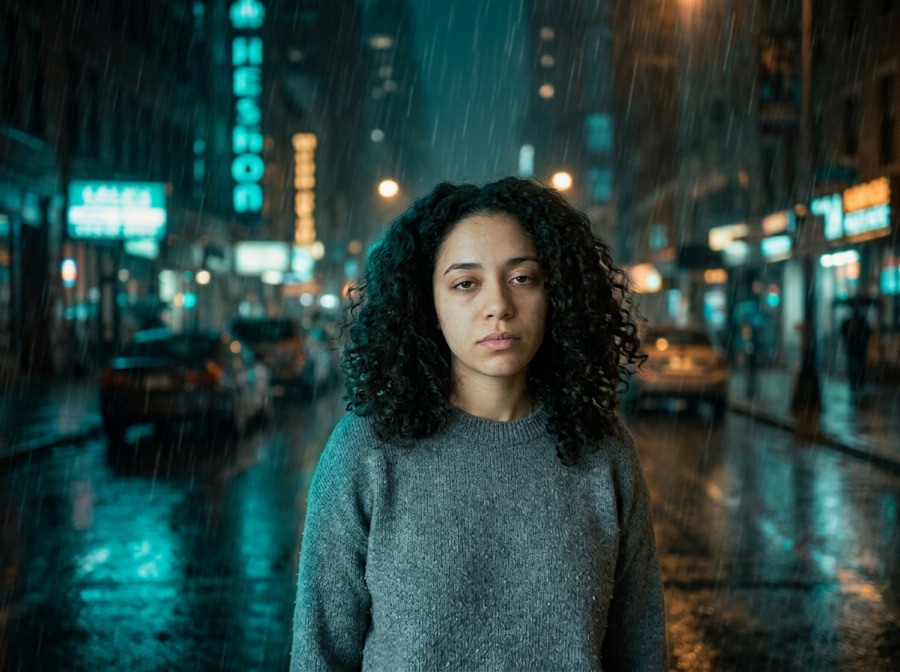
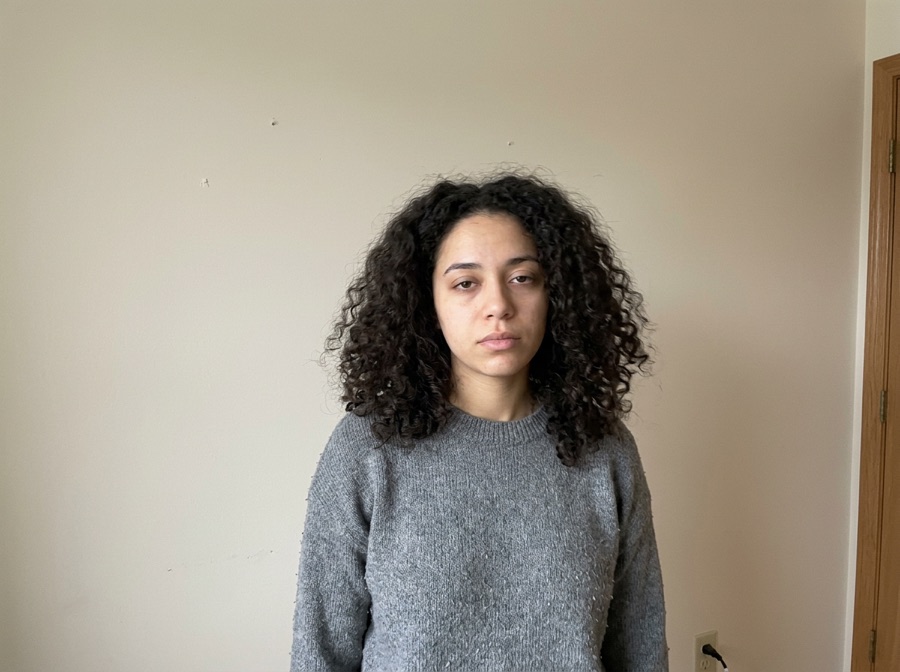
Selfie
See yourself with a bump in your own mirror selfie — for fun, for a ‘what if’, or to send to your partner.
Upload one photo and get a realistic baby bump under the clothes you're already wearing — for a selfie, a maternity-shoot preview or the TikTok prank. Face, outfit and pose stay yours. First photo free, no account.
Free: your first photo, no sign-up, no card (watermarked preview) · failed generations don't count · then $2.90 per photo, 3 for $6.90 or 5 for $9.90, one-time.
No photo handy? Try a sample
Pick one direction. Hold Frame will protect the important parts automatically.
✦ 1 free result as a guest · failed generations never count
Examples use AI-generated people, not real ones. Compare the face, clothes and framing between the original and the result.
Tap any template — it configures keep, change and strength, then scrolls you back to the studio.
Think of it as a photo filter that works on pictures you already have: upload one clear photo, keep Face and Outfit locked and tap a look. The model adds a natural pregnancy bump and redraws only the belly area, while your photo stays the identity, clothing and pose reference — so it still looks like your photo, just with the bump.
Hold Frame's AI pregnant filter adds a natural-looking pregnancy bump to a photo you upload, in about 20 seconds. Face lock keeps your face, expression, hair, outfit, pose and background as the reference, so only the belly area changes. Pick one of three looks — a casual selfie bump, a soft-light maternity-shoot preview, or the TikTok prank (the classic pregnancy filter reveal for a partner or friends) — or describe your own, such as how far along. It's a fun visual effect, not a prediction and not medical advice. Your first photo is free with no sign-up and no added watermark; after that it's $2.90 per photo, 3 for $6.90 or 5 for $9.90, one-time with no subscription. Only use your own photos or photos of adults who agreed to it. People also search for it as pregnant AI filter, AI pregnancy photo, pregnant filter tiktok, make me pregnant AI, pregnant face filter, AI baby bump.
Facts checked October 10, 2026.
| Free to try | First pregnancy photo free as a guest — no sign-up, no credit card, no app download. Failed generations don't count. |
|---|---|
| After the free photo | $2.90 for one photo, $6.90 for three (most popular) or $9.90 for five — one-time, no subscription, no account needed to pay. Existing Hold Frame credits work too (5 per photo). |
| Watermark | Free previews carry a visible Hold Frame watermark; paid images have none. The model provider's invisible provenance mark (SynthID) is not removed. |
| Original pixels kept? | For background changes, yes: with "Keep subject pixels exactly" (on by default for product photos, one tick for people) the original product or person is cut out in your browser and pasted back pixel-for-pixel; only the background is AI — same price. Other edits are regenerated by the image model (Google Gemini 3.1 Flash Image) with your photo as the reference, so compare locked details. |
| Best for | Quick, controlled edits from one photo when you want to try several directions before committing. |
| Not the right tool for | Pixel-exact compositing (use layer masks in Photoshop) or editing dozens of images in one batch. |
See yourself with a bump in your own mirror selfie — for fun, for a ‘what if’, or to send to your partner.
Try poses, outfits, colours and light before you book a maternity photographer or plan a shoot at home.
The TikTok pregnancy filter reveal: put a bump on your boyfriend, best friend or yourself and film the reaction — with people who are in on the joke.
The bump needs room. A sharp photo with the belly area visible and good light works best. One person per photo.
Selfie bump, maternity shoot or prank — each card fills a detailed description you can edit, e.g. how many months along.
Balanced keeps the face and outfit closest. If the bump looks too big or small, add “smaller bump” or “about eight months along”.
Copy one as a starting point, then change only the details that matter to your image.
Use these checks before increasing change strength or adding more instructions.
Film 5 seconds and turn the reveal into a short clip.
Big-head caricature of you — or a couple caricature for the parents-to-be.
Enlarge the maternity-shoot preview before printing it.
12 viral ChatGPT photo prompts for women with examples, notes and one-tap try.
10 Gemini (Nano Banana) photo prompts for women with examples and one-tap try.
Try on Halloween costumes from one photo — or a couple costume from two.
The TikTok childhood-Halloween “lie” slides from one old photo, with the reveal slide and video built for you.
Private by default: uploads and results are never public, are deleted within 24 hours and are never used for training.
Compare all credit plans and usage costs
Loading prices…
Your first photo is free with no sign-up (free previews are watermarked). After that it's $2.90 per photo, 3 for $6.90 or 5 for $9.90 — one-time, no subscription.
Upload a clear waist-up or full-body photo, tap a look (selfie bump, maternity shoot or prank) or describe your own, and generate. The AI adds the bump and keeps your face, outfit and pose.
It makes the same kind of picture as the TikTok pregnancy filter trend, but from any photo you already have — no live camera needed — and you download a full-size image you can post or send.
Yes. Add a note like “about five months along” or “about eight months along”, or tap one of the suggestion chips under the prompt.
Yes — the maternity-shoot look adds the bump, soft window light and a clean backdrop so you can try poses, outfits and colours before booking a photographer.
If he's an adult and he's in on it (or will laugh), yes — the prank card is made for exactly that. Don't use it to deceive or embarrass anyone who didn't agree.
No. It's an AI visual effect for fun and previews, not a prediction of how your body will change and not medical advice. For anything about a real pregnancy, talk to a doctor or midwife.
Only your own photos, or photos of adults who gave consent. Photos of minors, nudity and sexual content are declined.
No. Uploads are processed to make the result and are not used to train models.