Free GIF Background Remover
Every frame cut out by AI, animation and timing kept — download a transparent GIF. Free, no sign-up, processed on your device.
Still image? Use the PNG background remover for a full-resolution cut-out with soft edges. Want the animation in a new scene? Try Genjutsu-style AI video.
The AI model (about 44 MB) downloads once. GIFs larger than 640 px are scaled down; GIF transparency is on/off per pixel, so edges are hard rather than soft.
Real result
A 12-frame GIF processed by this tool, frame by frame. The checkerboard shows the transparent area.
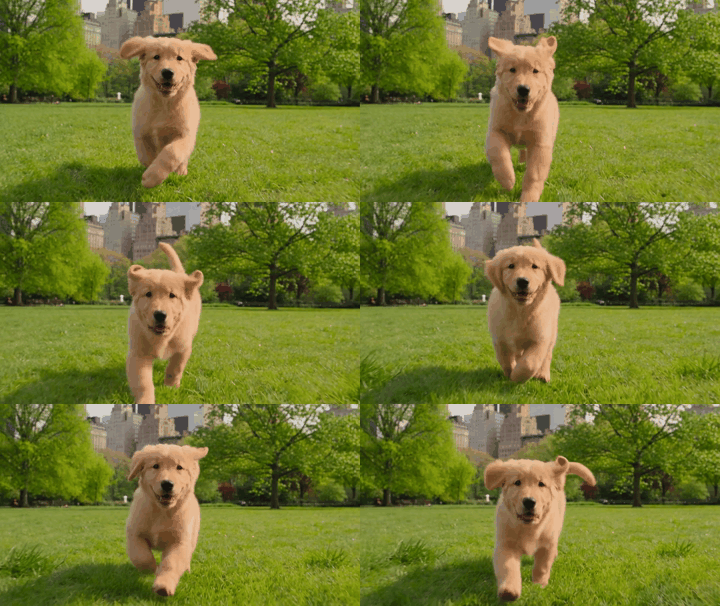
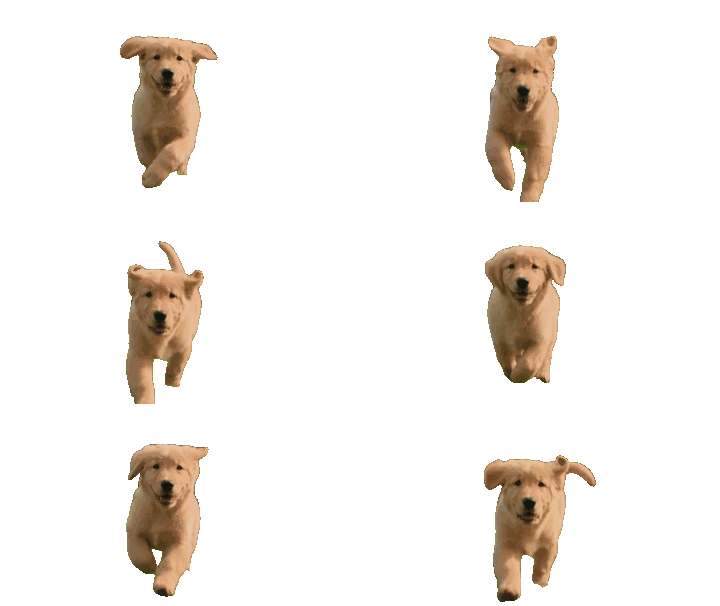
Keepframe's GIF background remover decodes an animated GIF in your browser, removes the background from every frame with the open-source ISNet segmentation model, and re-encodes it as a transparent GIF with the original timing (or on white or any color). It is free with no sign-up or watermark, handles up to 60 frames, and the GIF is never uploaded.
Facts checked October 10, 2026.
What you get
| Price | Free. No credits, no sign-up, no daily limit. |
|---|---|
| Output | Animated GIF with every frame cut out — transparent, white or any color; original frame timing kept. |
| Privacy | Runs in your browser; the GIF is never uploaded. |
| Model | ISNet general-use (Apache-2.0; int8 weights, MIT) via onnxruntime-web, run on every frame. |
| Limits | Up to 60 frames (about 4 s per frame on a typical laptop); long side scaled to 640 px; GIF allows only fully transparent or opaque pixels, so edges are hard. |
| Not the right tool for | Smoke, hair blowing in the wind or busy scenes with many subjects — results can flicker between frames. |
How it works
1. Choose a GIF
It is decoded in your browser into individual frames.
2. Every frame is cut out
The AI finds the subject in each frame and removes everything else.
3. Download the new GIF
Frames are re-encoded with transparency and the original delays.
FAQ
Is this GIF background remover free?
Yes. Every frame is processed in your browser: no credits, no sign-up, no watermark, and the GIF is never uploaded.
Does it keep the animation?
Yes. Each frame is cut out separately and re-encoded with the original frame delays and looping.
Why are the edges hard?
The GIF format only supports fully transparent or fully opaque pixels. For soft edges use a still PNG or a video format.
How many frames can it handle?
Up to 60 frames — about 4 seconds per frame on a typical laptop. GIFs wider or taller than 640 px are scaled down.
Can I put a color behind the subject instead?
Yes — choose White or Color before you start.
Which AI model does it use?
ISNet general-use (Apache-2.0; int8 weights, MIT), run on every frame with onnxruntime-web.